
Share sensitive captures safely
Bank statements, IDs, medical paperwork, contracts — sometimes you have to capture and share them anyway. This workflow keeps a document protected at every step: detected, redacted, encrypted at rest, and encrypted in transit.
This is the page the other workflows point to. Whenever a capture is about to leave your Mac and something on it shouldn’t, these are the steps.
Set up once
Section titled “Set up once”Turn on Enhanced Security. The un-redacted originals then sit encrypted on disk (AES-256-GCM), viewable only after Touch ID, and auto-lock takes over when you step away — capturing still works while locked.
Redaction uses the enhanced on-device model, which recognizes what kind of document it’s looking at and tunes detection accordingly.
The steps
Section titled “The steps”Capture → Encrypt → Refine → Deliver
-
Capture — the document, with ⌘⇧C, or a scrolling capture (⌘⇧W) for a long statement.
-
Encrypt — already handled. The un-redacted original is encrypted the moment it’s stored, viewable only after Touch ID, and auto-lock takes over if you step away. There’s nothing to do at this step; it’s the setting above doing its job, which is the point of turning it on once.
-
Refine — let document-aware redaction read it. Run Smart Redact. Sealshot flags account and card numbers, SSNs, passport MRZ lines, addresses, and money amounts on financial documents. High-risk items start pre-checked — review the list and Apply. Anything the scan missed, cover manually.
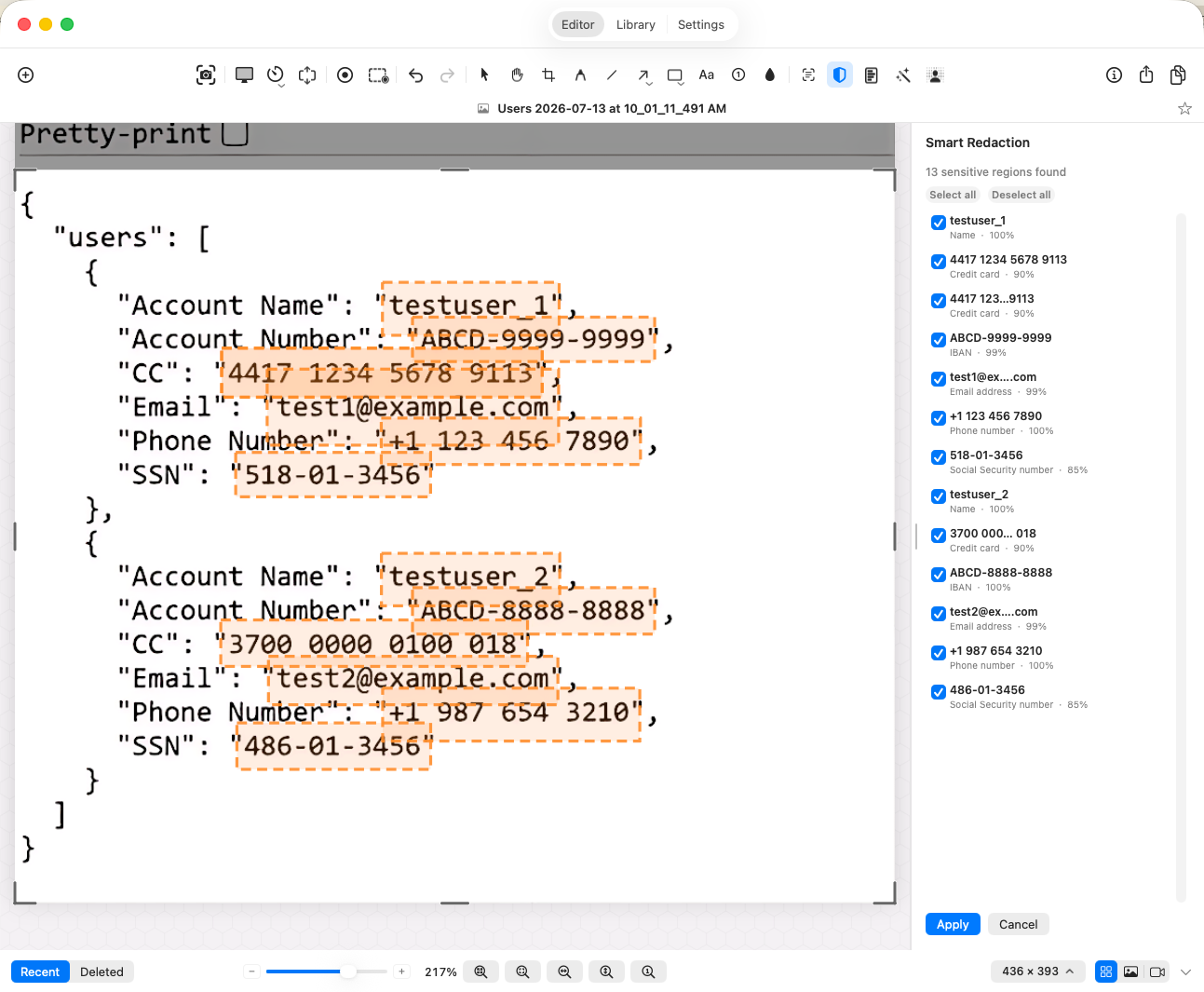
The redacted result is what leaves. The original stays sealed.
-
Deliver — select the capture and press ⇧⌘E. Export to Package generates a strong passcode (copy it before export unlocks), takes an optional expiry date and hint, and writes a
.sealsharethat only Sealshot plus the passcode can open. Send the passcode separately — package by email, passcode by Signal or a phone call, never the same channel. Otherwise one intercepted inbox gets both halves.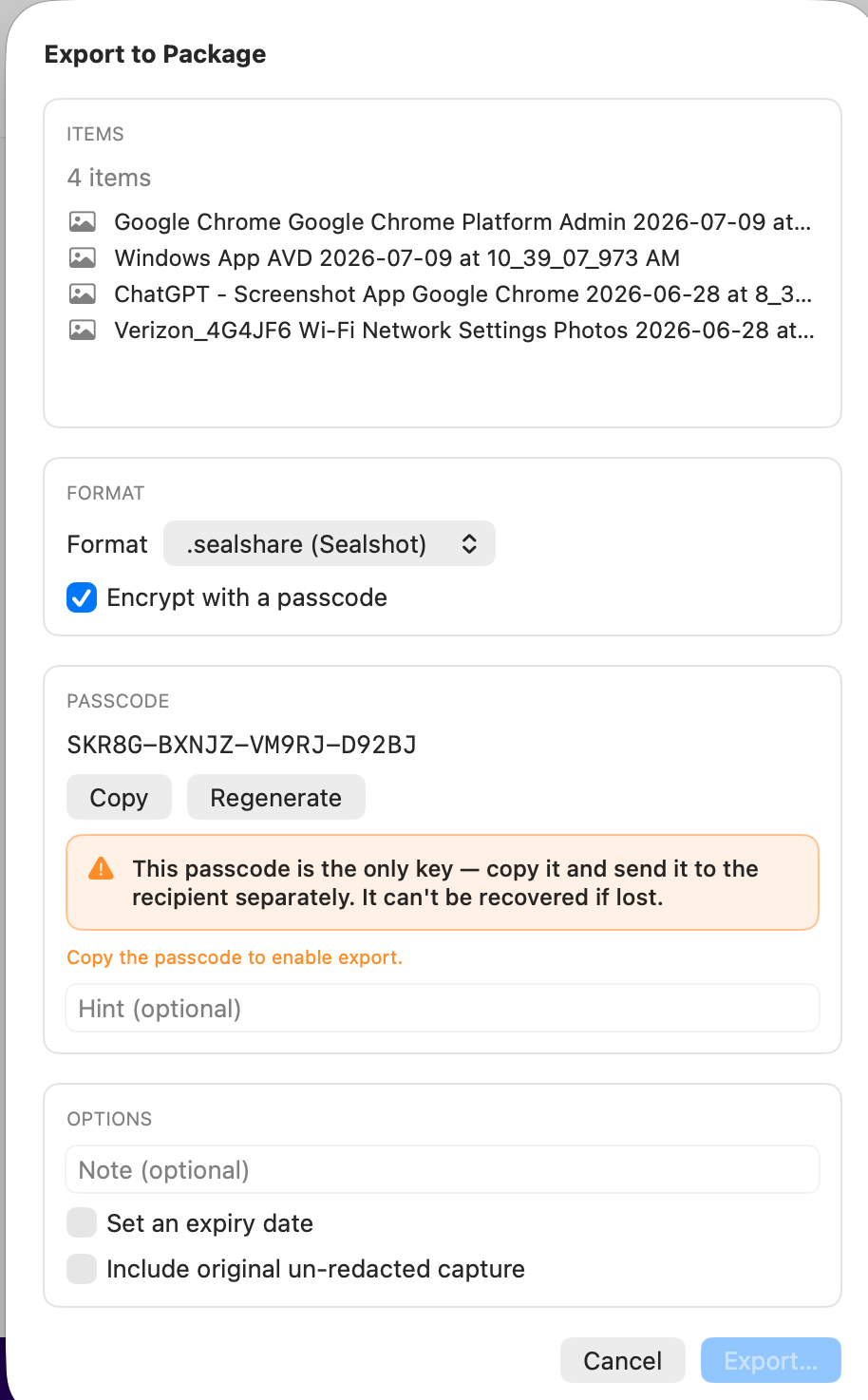
Combine with
Section titled “Combine with”Any other workflow — this is the sensitive path through Explain, Demonstrate, and Extract.