
Welcome to Sealshot
Sealshot is a screenshot and screen-recording studio for the Mac. Capture any part of the screen — or a whole scrolling page, or video — annotate and redact it, then organize, search, and share the result. Everything happens on your Mac: no account to create, no cloud between you and your work, no telemetry.
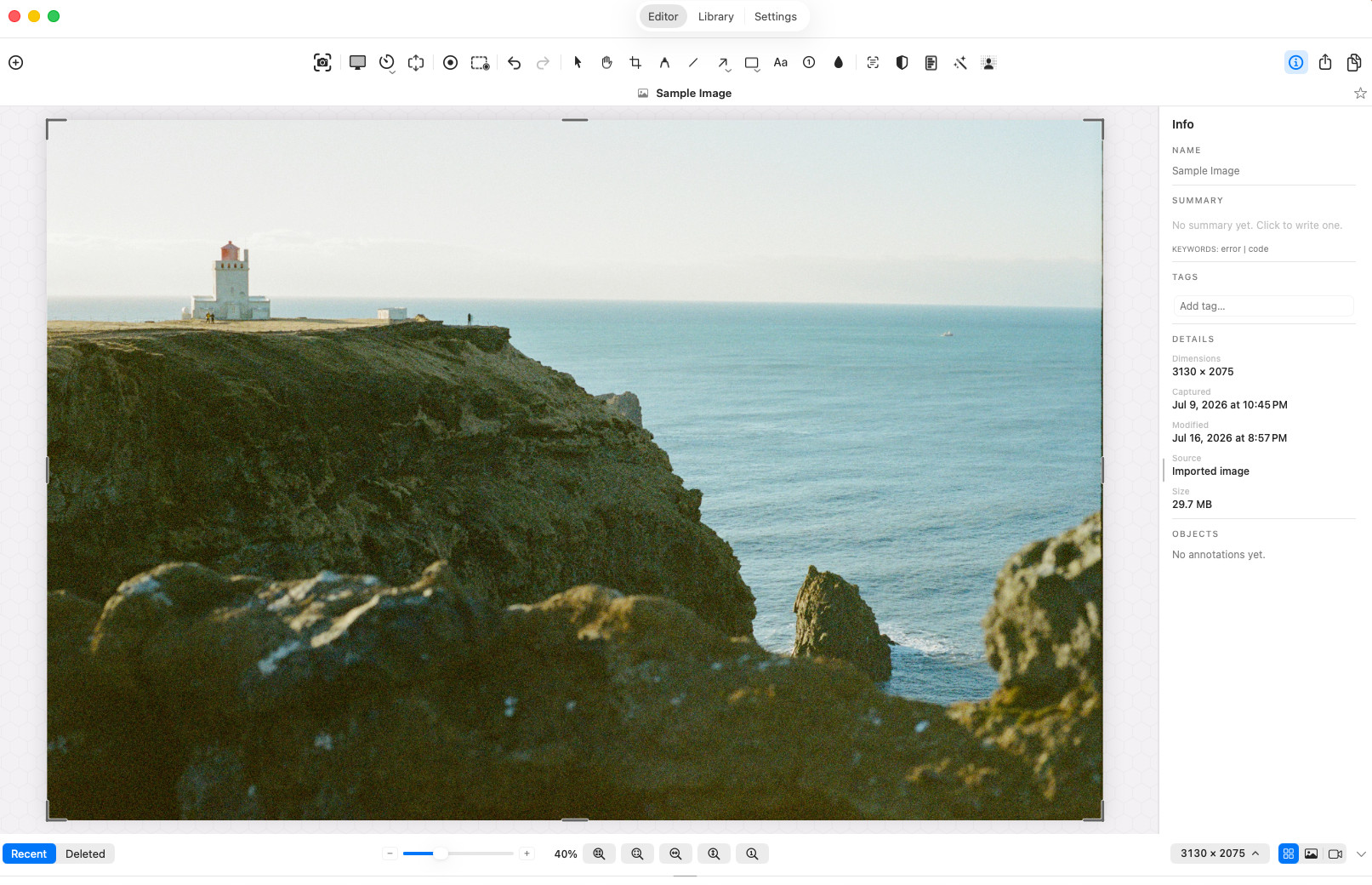 The editor — one of the five parts of the app mapped in
the Quickstart.
The editor — one of the five parts of the app mapped in
the Quickstart.
The ideas behind it
Section titled “The ideas behind it”Private by architecture
Section titled “Private by architecture”Screenshots are the most casually sensitive files on a computer — they capture whatever happened to be on screen, credentials and all. So Sealshot processes everything locally: capture, recording, OCR, search, AI metadata, redaction. Its only network activity is three downloads — the update check, a public list of revoked licenses, and an optional model download you approve first. See Security & privacy and the privacy policy.
Your work stays editable
Section titled “Your work stays editable”Captures are saved as .seal packages: the
original pixels (or video) plus your annotations and metadata, in one
file. Reopen a capture next month and every arrow, blur, and text box is
still an object you can move or delete — nothing is ever flattened unless
you export it that way.
Sensitive content is a first-class problem
Section titled “Sensitive content is a first-class problem”Most screenshot tools leave privacy to your vigilance. Sealshot has
machinery for it: Smart Redaction finds emails,
card numbers, API keys, and other sensitive text and proposes redactions
for you to review; Enhanced Security encrypts
your library at rest behind Touch ID; and
.sealshare export wraps captures in an
encrypted, passcode-protected package for sending.
Yours to keep
Section titled “Yours to keep”Sealshot is free to use — every feature, no account, no card, nothing that expires. It is donation-supported, on the honor system: give any amount if it’s useful, tick “I’ve donated” in Settings → Support, and the app’s occasional reminder stops. No license keys, no activation, and nothing to renew.
What you can do with it
Section titled “What you can do with it”- Capture a region, window, or display — including scrolling pages and multi-monitor setups.
- Record the screen with system audio and microphone, controlled from a floating HUD.
- Annotate & edit with arrows, shapes, styled text, blur, focus effects, crop, and resize — all undoable, all persistent.
- Redact sensitive text automatically, with every proposal reviewed by you before it burns in.
- Organize & find everything in a searchable library — OCR’d text, AI titles, summaries, and tags included, all generated on-device.
- Share as a flat PNG or movie for anywhere, or as an encrypted package when it matters who can open it.
What it runs on
Section titled “What it runs on”macOS 14 (Sonoma) or later, on Apple Silicon and Intel alike. A few on-device AI extras need newer hardware — see Which Macs run what.
Where to go next
Section titled “Where to go next”- New here? Start with the Quickstart — install, the parts of the app, and your first capture.
- Have a job to do? Pick a workflow by what you’re trying to accomplish — explain, publish, demonstrate, protect & share, or extract — or find your exact job in the examples.
- Want to go faster? Skim the Tips & tricks.
- Stuck? Check the FAQ or send us feedback.
- What’s new? See the changelog.